Mobile app epaslaugos.lt
Government e-services – in your pocket. Find services, submit orders and track their progress conveniently, wherever you are.
What can you do with the app?
Find and order services
Search for services by life events, categories or using the smart search feature, and submit orders.
View orders
See all your submitted orders, their processing status and decisions made by public authorities in one place.
Receive important notifications
Stay updated on order status changes and required actions. Access the relevant order with one tap.
Secure and convenient login
When logging in for the first time, verify your identity using a supported electronic identification method. Afterwards, you can access the app using a PIN code or biometric authentication.
Frequently asked questions
Will my portal account be linked to the app?
Yes. Once you login via e-government gateway, you will be able to access your account and all previously submitted orders, just as you do on the epaslaugos.lt portal. You don't need to create an account.
How do I login to the app?
When logging in for the first time, verify your identity using a supported electronic identification method, such as online banking, a mobile signature or another supported method. After your first login, create a 6-digit PIN code.
You can then login using your PIN code or, if your device supports it, biometric authentication such as fingerprint or facial recognition.
What should I do if I can't enable biometric authentication?
Check your phone settings to make sure biometric authentication (facial recognition or fingerprint recognition) is enabled and that the epaslaugos.lt app has permission to use it.
If you still can't enable biometric authentication, you can login using your 6-digit PIN code.
Can I use the app in English?
Yes. In the app's account settings, go to the “Language” section and select English. Some service descriptions may only be available in Lithuanian if they have not yet been translated by the service providers.
Download the app
The app is available for iOS and Android devices.
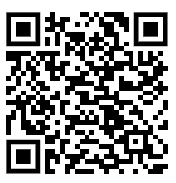 App Store
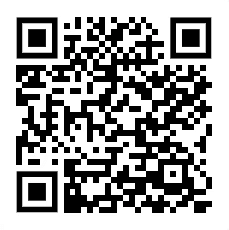 Google Play



